
Java4Shell: is your SailPoint IdentityIQ impacted?
A new Java flaw can let an attacker run code on your IdentityIQ server, with no login. Whether you're impacted depends on the Java it runs on.

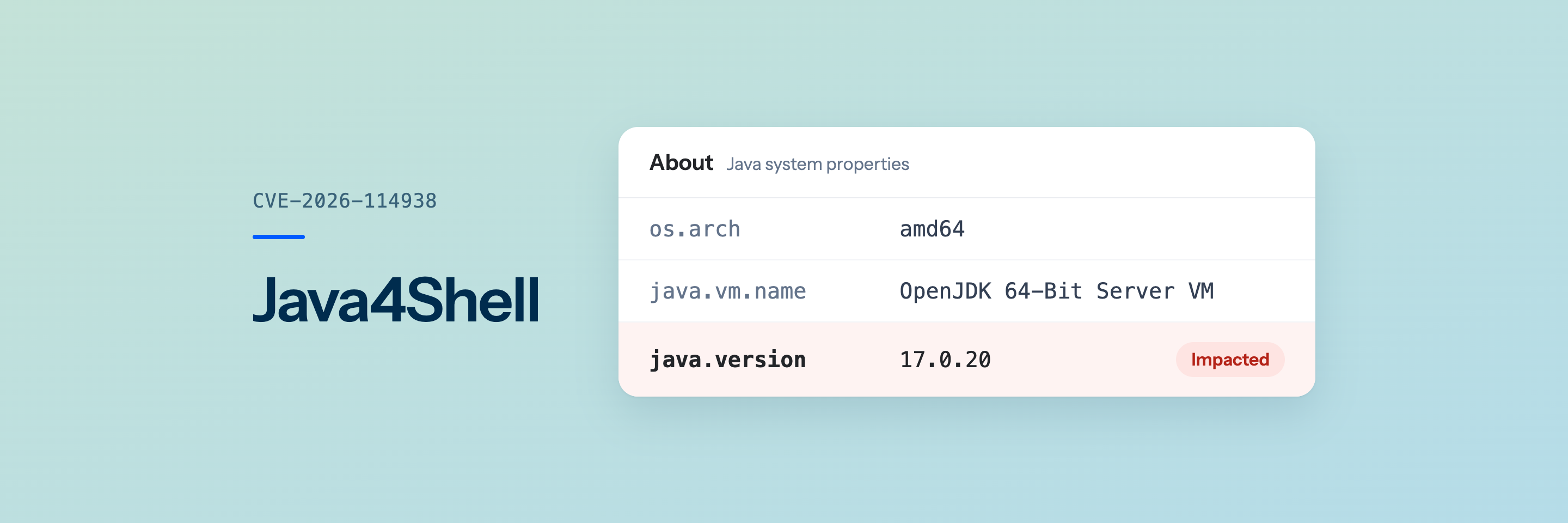
Check from the IIQ UI first, then hand the fix to your server team.
On November 17, Calif disclosed CVE-2026-114938 ("Java4Shell"), a bug in Java's Base64 decoder, as Oracle and the OpenJDK project shipped fixes. Calif's Quang Luong found it in an hour with OpenAI Codex. IdentityIQ runs on a Java you install, so the fix is yours to apply.
Am I impacted?
- In IdentityIQ, open the debug pages from the wrench menu, or add
/debugafter/identityiqin the address bar. You need the SystemAdministration capability. - Open About. If
os.archsaysaarch64(an ARM server), you're not impacted. - Otherwise, look up
java.version:
java.version starts with |
Result |
|---|---|
| 1.8 or 11 | Not impacted |
| 17 | Impacted from 17.0.6, below 17.0.21.1 |
| 21 | Impacted below 21.0.13.1 |
| 25 | Impacted below 25.0.5.1 |
| 27 | Impacted below 27.0.1.1 |
One more condition the IIQ UI can't show: the bug needs a CPU with AVX-512 VBMI. On a Linux server, your server team can run this. It prints avx512vbmi if the CPU has it, and no output means you're not impacted. On Windows, treat the server as impacted.
grep -w -o -m1 avx512vbmi /proc/cpuinfoNo public exploit targets IdentityIQ yet. If you're impacted, patch now. Not sure? Get a free impact assessment.
How to fix it
Hand this to whoever runs the IdentityIQ server.
The steps below use Amazon Corretto, a no-cost build of Java that already has the fix. Stay on the Java version you run today, which is the one your IdentityIQ release supports:
If java.version starts with |
Linux | Windows |
|---|---|---|
| 17 | Corretto 17.0.21.1 (.tar.gz) | Corretto 17.0.21.1 (.msi) |
| 21 | Corretto 21.0.13.1 (.tar.gz) | Corretto 21.0.13.1 (.msi) |
Other Java builds, such as Azul Zulu and Oracle JDK, have the same fixed versions. If your Java comes from another vendor, check its site for the fix, and use the workaround below until it's available.
The steps assume Tomcat, the application server SailPoint's installation guide uses, and Java 17. For Java 21, use the 21 file and folder names.
On Linux
-
Download and unpack Corretto:
cd /opt sudo curl -LO https://corretto.aws/downloads/resources/17.0.21.1.2/amazon-corretto-17.0.21.1.2-linux-x64.tar.gz sudo tar -xzf amazon-corretto-17.0.21.1.2-linux-x64.tar.gz -
Add this line to Tomcat's
bin/setenv.sh, creating the file if it doesn't exist:export JAVA_HOME=/opt/amazon-corretto-17.0.21.1.2-linux-x64 -
If you added certificates to the old Java, such as your Active Directory LDAPS certificate, add each one to the new Java:
sudo /opt/amazon-corretto-17.0.21.1.2-linux-x64/bin/keytool -importcert -cacerts -storepass changeit -alias <name> -file <certificate.pem> -
Restart Tomcat. The first command shows its service name, often
tomcat9ortomcat10:systemctl list-units '*tomcat*' sudo systemctl restart tomcat9
On Windows
-
Run the Corretto
.msi. It installs toC:\Program Files\Amazon Corretto\jdk17.0.21_1. -
In PowerShell as administrator, find Tomcat's service name (
Tomcat9by default):Get-Service *tomcat* -
Go to Tomcat's
binfolder and point the service at the new Java. Usetomcat10.exeon Tomcat 10.cd "C:\Program Files\Apache Software Foundation\Tomcat 9.0\bin" .\tomcat9.exe //US//Tomcat9 --Jvm "C:\Program Files\Amazon Corretto\jdk17.0.21_1\bin\server\jvm.dll" -
If you added certificates to the old Java, add each one to the new Java:
& "C:\Program Files\Amazon Corretto\jdk17.0.21_1\bin\keytool.exe" -importcert -cacerts -storepass changeit -alias <name> -file <certificate.pem> -
Restart Tomcat:
Restart-Service Tomcat9
Check it worked
Reload IdentityIQ's About page. java.version should now start with 17.0.21.1 (or 21.0.13.1).
Can't patch today?
Red Hat's workaround switches off the vulnerable code until you can patch.
On Linux, add this line to Tomcat's bin/setenv.sh, then restart Tomcat:
export CATALINA_OPTS="$CATALINA_OPTS -XX:-UseBASE64Intrinsics"On Windows, run this from Tomcat's bin folder in PowerShell as administrator, then restart Tomcat:
.\tomcat9.exe //US//Tomcat9 ++JvmOptions "-XX:-UseBASE64Intrinsics"Once you're on a fixed Java, remove it. On Linux, delete the line. On Windows, open .\tomcat9w.exe //ES//Tomcat9 and delete it from Java Options on the Java tab.
Get a free impact assessment
Not sure whether your IdentityIQ is impacted, or how to patch it? Leave your details and we'll check it with you.
Thanks, there.
We received your request and will be in touch shortly.